ZetoPad vs Pieces vs Cacher: Different Visions for Snippet Management
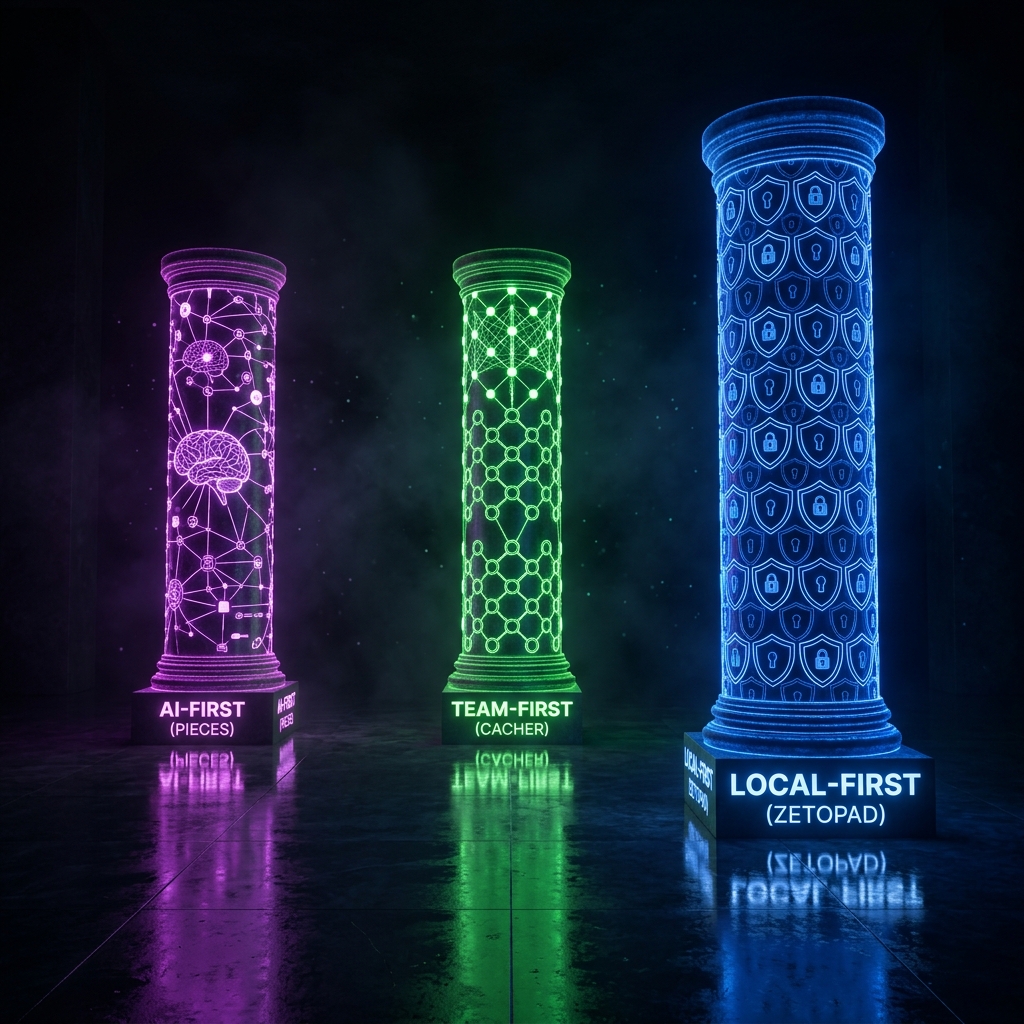
The snippet manager market has split into two philosophical camps. One believes the future is AI-powered, cloud-connected, and collaborative. The other believes the future is local-first, privacy-respecting, and individually-focused. Both have merit; which is right for you depends on what you value.
This comparison examines three tools representing these different approaches: Pieces for the AI-powered vision, Cacher for the team collaboration vision, and ZetoPad for the local-first vision. Understanding what each prioritizes—and what each sacrifices—helps clarify which fits your needs.
The Cloud-First Approach
Pieces and Cacher both store your snippets in the cloud. This is a deliberate choice that enables features local tools can’t match, but also creates constraints that local tools avoid.
Pieces has built its identity around AI. The tool captures context about your snippets—where they came from, when you used them, what you were working on—and uses machine learning to help you find relevant code. Search isn’t just keyword matching; it’s semantic understanding. The AI can answer questions about your snippets, generate new code based on your saved patterns, and surface relevant snippets proactively as you work.
This is genuinely useful when it works well. Not having to remember how you organized something, just describing what you need, is powerful. The question is what you’re trading for that capability.
Cacher takes a different approach to cloud benefits, focusing on teams rather than AI. Shared snippet libraries let teams maintain common code references. GitHub Gist integration connects to an ecosystem many developers already use. The value proposition is collaboration: snippets as shared knowledge rather than personal hoards.
For teams that need shared code references, this makes sense. A new hire who can access the team’s accumulated solutions gets productive faster than one who has to rediscover everything.
The Local-First Approach
ZetoPad represents the opposite philosophy. No cloud, no AI analysis, no collaboration features. This isn’t feature omission—it’s deliberate design for developers who prioritize different things.
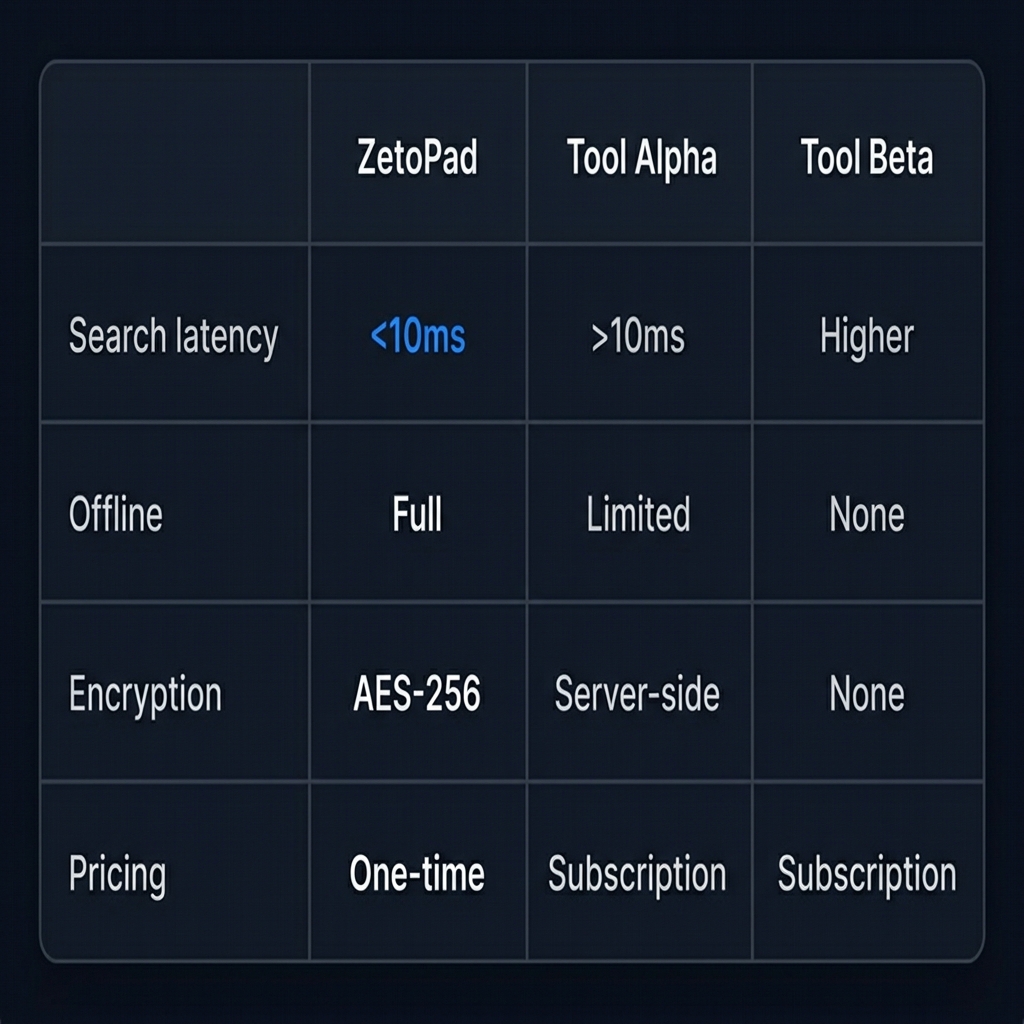
Speed is the primary benefit. When your snippets are local and your search index is local, there’s no network latency. ZetoPad returns results in under 10 milliseconds because nothing travels over the internet. This is noticeably faster than cloud tools, which add minimum 50-200ms for network round-trips even under ideal conditions.
Privacy is absolute. Your snippets never leave your machine. There’s no server to breach, no employee who could access your data, no AI training on your code, no subpoena that could compel disclosure of your snippets. For developers working with proprietary code, this isn’t paranoia—it’s often a job requirement.
Reliability is unconditional. ZetoPad works without internet. Pieces degrades when offline. Cacher becomes read-only or unavailable. For developers who work on planes, in areas with poor connectivity, or in corporate environments that restrict cloud services, unconditional availability matters.
The tradeoff is clear: no AI magic, no team sharing, no automatic sync. These features require the cloud architecture that ZetoPad explicitly avoids.
Account Requirements
A subtle but important difference: cloud tools require accounts. You provide an email, verify it, create a password, and authenticate each time you use the tool on a new device. This isn’t just friction—it’s a relationship. You’re becoming a user whose data exists on their systems.
ZetoPad requires no account because there’s nothing to account for. Download, run, use. Your snippets are files on your disk, not entries in a remote database. If you want to use ZetoPad on another machine, you copy the database file. There’s no “log in” because there’s no server to log into.
This difference reflects the fundamental architecture. Account-requiring tools can offer password recovery, cross-device sync, and team features precisely because they control your data. Account-free tools offer independence precisely because they don’t.
Pricing Philosophies
The pricing models reflect the different business philosophies.
Pieces offers a free tier with limited features and a subscription for full access—currently around $10/month. The subscription model aligns with cloud infrastructure costs: they’re paying for servers, and you’re paying them monthly. Over three years, this totals $360.
Cacher follows a similar pattern: free tier with limits, paid subscriptions for full features. The team plans scale per-user, which makes sense for their collaboration focus but adds up quickly for larger teams.
ZetoPad uses a one-time purchase after a free trial. No recurring costs, no limits on the trial. The model works because there’s no cloud infrastructure to maintain—your snippets are on your disk, using your storage.
The financial difference over time is substantial. Whether it matters depends on how you think about tool costs. If you pay for tools monthly without noticing, subscriptions are fine. If you prefer owning tools outright without ongoing obligations, one-time purchases are preferable.
The AI Question
Pieces’ AI features are genuinely impressive. Semantic search, contextual suggestions, code generation based on your patterns—this is useful technology. But it comes with considerations worth thinking about.
AI features require your code to be processed. Pieces explicitly analyzes your snippets to provide its capabilities. Even if you trust their privacy policies, this creates a record of your code on their infrastructure. For open source projects or public-friendly code, this is probably fine. For proprietary code under NDA, it may not be acceptable regardless of policies.
AI suggestions can create dependency. When you rely on AI to organize and find your snippets, you lose practice at maintaining a system yourself. If Pieces changes its pricing, degrades its free tier, or shuts down, the transition cost is higher than with simpler tools.
AI adds complexity. Pieces’ interface, packed with AI features, can feel overwhelming compared to simpler tools. If you just want to save and find code, the additional capabilities are noise rather than signal.
ZetoPad’s position is explicit: no AI. You organize your snippets or don’t; search finds what’s there without semantic interpretation. This is simpler but demands more from you. Whether that’s a feature or a limitation depends on your preferences.
Making the Choice
Choose Pieces if AI-powered organization appeals to you, you’re comfortable with cloud storage, your code isn’t restricted by security policies, and you prefer subscription pricing.
Choose Cacher if team collaboration is your primary need, GitHub Gist integration is valuable, you don’t need encryption, and you’re okay with cloud dependency.
Choose ZetoPad if speed matters, privacy matters, offline access matters, encryption matters, or you prefer one-time purchase pricing.
These tools optimize for genuinely different goals. There’s no universal “best”—there’s only best for your priorities. ZetoPad’s two-week trial requires no account and no commitment. Try it alongside whatever you’re currently using and see which feels right.