Private Code Snippet Storage: Keep Your Code Off Other People’s Servers

Developers save things to snippet managers that they probably shouldn’t. That API key from a debugging session. The database connection string with production credentials embedded. A proprietary algorithm that represents months of work. The quick SQL query that includes real customer email addresses in the example output.
We know these things shouldn’t be saved casually. But in the flow of work, the snippet manager is right there, and saving is quick, and you’ll delete it later. Except you won’t, because you’ll forget it exists until someday you need it again.
If your snippet manager stores data locally, this is fine. Slightly messy, perhaps, but harmless. If your snippet manager stores data in the cloud, these casual saves become potential security incidents waiting to happen.
The Cloud Privacy Problem
Understanding cloud storage requires setting aside marketing language about encryption and security practices. The fundamental issue is simpler: when your data is on someone else’s server, other people can access it.
This isn’t a failure of these services; it’s inherent to how they work. The company operating the service can access your data because they need to in order to provide the service. Their employees—at least some of them—can access it. They have backups, which can be compromised. They have logging systems that may record more than you expect. They’re subject to legal demands that can compel disclosure.
“Encrypted at rest” doesn’t change this. When you access your snippets through a web interface or app, the data is decrypted on their servers. They hold the encryption keys. Server-side encryption protects against certain attacks (like someone stealing their hard drives), but it doesn’t protect your data from the company itself, from their employees, or from anyone who gains access to their systems.
This matters more than it might seem. Developer snippets often contain exactly the kind of information that attackers want: credentials, internal API endpoints, authentication patterns, database schemas. A breach of a snippet manager’s database would be a goldmine.
The AI Complication
The rise of AI in developer tools adds a new privacy dimension. Tools like Pieces explicitly analyze your code to provide AI-powered features. This analysis happens on their infrastructure, which means your code is being processed, not just stored.
Even if you trust the company’s current policies, AI creates new risks. Training data can leak into model outputs. Analytics about usage patterns can reveal information about your projects. And as AI capabilities expand, the temptation to use stored code for training purposes increases.
Some developers are comfortable with this tradeoff. Others—particularly those working with proprietary code or under strict NDAs—cannot accept it regardless of promises made. The only way to be certain that your code isn’t being analyzed is to use tools that don’t have access to it.
What Private Storage Looks Like
Truly private storage means your data never leaves your machine. No upload, no sync, no backup to remote servers. This requires a tool designed from the ground up for local storage, not a cloud tool with an offline mode.
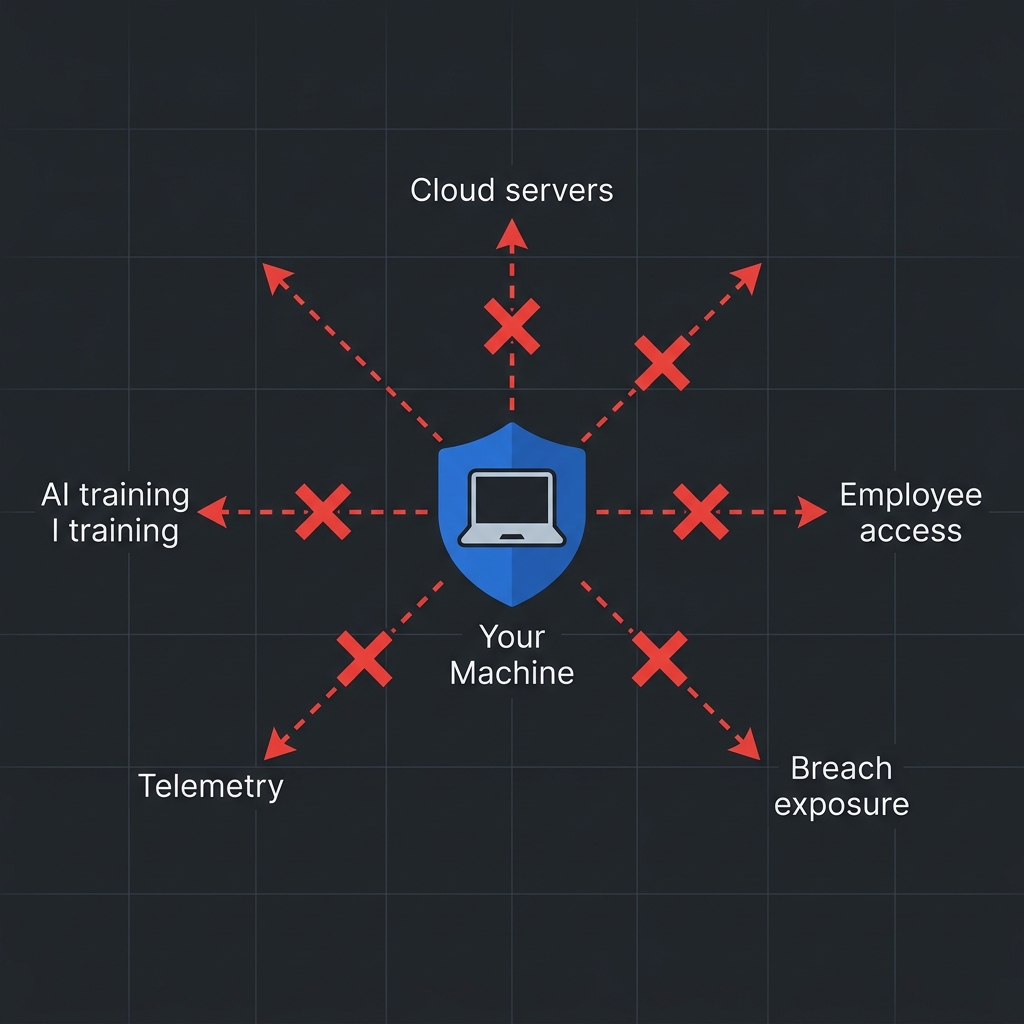
ZetoPad takes this approach to its logical extreme. The application makes zero outbound network connections. There’s no account creation, no authentication server to contact, no telemetry being sent. If you run network monitoring while using ZetoPad, you’ll see exactly nothing going anywhere. Your snippets exist only on your disk.
The database is standard SQLite, which means you can inspect it with any SQLite client, back it up however you like, and verify for yourself that it contains only your data. There’s no proprietary format, no hidden synchronization, no unexpected network activity.
When you enable encryption, the database becomes unreadable without your password. ZetoPad uses SQLCipher with AES-256 encryption—the same technology used by Signal and other security-focused applications. Importantly, you hold the only key. There’s no recovery mechanism because there’s no one else who could perform recovery. If you forget your password, your data is gone. This is a feature, not a limitation: it means no one else can recover your data either.
The Privacy Spectrum
Not everyone needs the strongest possible privacy stance. Understanding where you fall on the spectrum helps choose the right tool.
If your snippets are entirely public-worthy code—open source projects, tutorial examples, nothing proprietary—cloud storage is probably fine. The convenience might outweigh the theoretical risks.
If you occasionally save mildly sensitive things but nothing that would cause serious harm if exposed, cloud storage with reasonable security practices is defensible. You’re accepting some risk for convenience.
If you work with proprietary code, store credentials even temporarily, or operate under security policies that restrict cloud storage, local-only tools are necessary. This isn’t paranoia; it’s recognizing that the potential downside of exposure exceeds any convenience benefit.
If you work in regulated industries, handle classified information, or have contractual obligations around data handling, local-only tools with encryption aren’t optional—they’re requirements.
Most professional developers fall somewhere in the middle two categories. They save things that probably shouldn’t go to the cloud, even if they don’t think of themselves as handling “sensitive” data. A local-first snippet manager eliminates the need to think about which snippets are safe to save: they’re all safe because they never go anywhere.
Making Privacy Practical
The objection to private storage is usually convenience. “I need my snippets on multiple machines.” “What if my laptop dies?” These are valid concerns, but they have solutions that don’t require cloud snippet managers.
Your local snippet database is a file. Sync it with any file synchronization service you trust—Dropbox, iCloud, Google Drive, or your own infrastructure. The snippets are still local on each machine; they just propagate through a channel you control. This gives you multi-machine access without giving a snippet manager company access to your code.
Backup is even simpler. Copy the database file to wherever you back up important data. ZetoPad’s database is a single SQLite file, making backup trivial. If you want offsite backup, encrypt the file before uploading—now you control the encryption key, not someone else.
For the truly security-conscious, solutions like Syncthing provide peer-to-peer sync between your own devices with end-to-end encryption. Your snippets exist only on your machines, in transit only between them.
Taking Control
Your code is valuable. The fragments you save as snippets often contain distilled solutions to hard problems, references you’ll need for years, and occasionally things that really shouldn’t be stored casually. A snippet manager that stores all of this in the cloud, accessible to unknown parties, is a liability you don’t need to accept.
ZetoPad offers a different model: your snippets are yours. They live on your disk, optionally encrypted with your key, never transmitted anywhere. The fourteen-day trial requires no account and has no limitations—there’s nothing to sign up for because there’s no cloud service behind it.
Try working for two weeks with the confidence that every snippet you save is truly private. Most developers find they save more freely, worry less about what they’re storing, and prefer the result.