How to Organize Code Snippets: A Developer’s Complete Guide

There’s a persistent myth in developer productivity circles that organization is the key to an effective snippet library. The advice goes something like this: create a careful folder hierarchy, tag everything consistently, add detailed descriptions, and you’ll always find what you need.
In practice, this advice creates more problems than it solves. Developers who try to maintain elaborate organizational systems either spend more time organizing than coding, or abandon their systems entirely when the overhead becomes unsustainable. The best snippet libraries aren’t necessarily the most organized—they’re the ones that are actually used.
Understanding this distinction is key to building a snippet workflow that survives contact with real work.
The Organization Trap
Consider what happens when you save a snippet “properly” under the elaborate organization approach. You’ve just written a utility function for handling API retries with exponential backoff. To save it correctly, you need to decide: Does it go in the “utilities” folder or the “networking” folder? Should you tag it “retry,” “api,” “error-handling,” or all three? What about language and framework tags—“python,” “requests,” “async”? Should the description explain the backoff algorithm or just describe what the function does?
By the time you’ve made all these decisions, a minute or more has passed. Your flow state is broken. And the truly insidious part: you’ve created organizing work that you’ll feel obligated to maintain. When you improve that retry function later, you’ll need to update the snippet. When you create a similar function for a different framework, you’ll need to decide whether it goes in the same folder or a separate one. The organizational system becomes a second codebase to maintain.
The developers who maintain elaborate organizational systems over years are rare. Most of us have folders containing three items from an ambitious organizing session that was abandoned when actual work intervened.
What Actually Works: Trust the Search
Modern search technology has changed what organization should accomplish. When search can find any snippet in milliseconds based on content, title, and any metadata you’ve added, the purpose of organization shifts. It’s no longer about creating a retrieval system—search handles retrieval. Organization is about providing additional search vectors and adding context that helps you use snippets correctly once you find them.
This reframing dramatically reduces the organizational overhead. Instead of building a filing system, you’re just adding information that might help future-you. There’s no “right” place for a snippet because there’s no folder hierarchy to navigate. There’s no mandatory tagging because tags are just optional search enhancers. The pressure evaporates.
Concretely, this means: save snippets immediately when you think you might want them again. Add a title that describes what the code does in plain language. Done. If you want to add tags, add them. If you want to note the context or source, note it. But none of this is required. A snippet saved with just a title and content is infinitely more useful than a snippet not saved because the organizational overhead was too high.
When Organization Actually Helps
Organization does serve purposes beyond retrieval, and recognizing these purposes helps you invest organizational effort where it matters.
Context preservation is the most valuable form of organization. Code without context often becomes puzzling. Why did you use this particular approach? What edge cases does it handle? What doesn’t it handle? Adding a brief note when you save—even just a sentence—captures context that will be lost from memory within weeks. This isn’t organization for retrieval; it’s documentation for understanding.
Grouping related items can help when you’re working with a collection of snippets that belong together. If you have fifteen boilerplate files for a particular project setup, grouping them makes sense because you’ll want all fifteen together when you use them. But this is different from building a comprehensive categorical hierarchy; it’s just acknowledging that some things genuinely belong together.
Team standards matter when snippets are shared. If your team maintains a common snippet library, consistent organization helps everyone find things. But even here, the emphasis should be on clear titles and descriptions rather than elaborate hierarchies. Relying on search works for teams too.
Practical Workflow
The workflow that survives real work looks something like this.
When you write or find code worth saving, save it immediately. Don’t wait for a “organizing session” that will never come. Use a global hotkey to pull up your snippet manager, paste the code, type a title that describes what it does, and save. This should take under ten seconds. If it takes longer, your tool is creating friction you’ll eventually avoid.
Make titles descriptive in plain language. “Retry HTTP request with exponential backoff” is better than “http_retry_util” because you’ll probably search for “retry” or “exponential” or “backoff.” You’re not naming a variable; you’re writing a search query that future-you will think of.
Add context when it’s fresh. If there’s something non-obvious about the code—why you chose this approach, what it doesn’t handle, where you found it—add a quick note while you remember. This becomes increasingly valuable as your snippet library ages.
Use tags sparingly and consistently. If you tag some Python snippets with “python” and others with “py” and others without any language tag, the tags aren’t helping. Either adopt a consistent convention you’ll maintain, or skip tags entirely and rely on search finding languages in the code itself.
Review occasionally, not religiously. Every few months, spend fifteen minutes scanning through recent snippets. Delete duplicates. Improve titles that turned out to be unclear. Merge related snippets if it makes sense. This light maintenance is sustainable where constant organizing isn’t.
The Tool Matters
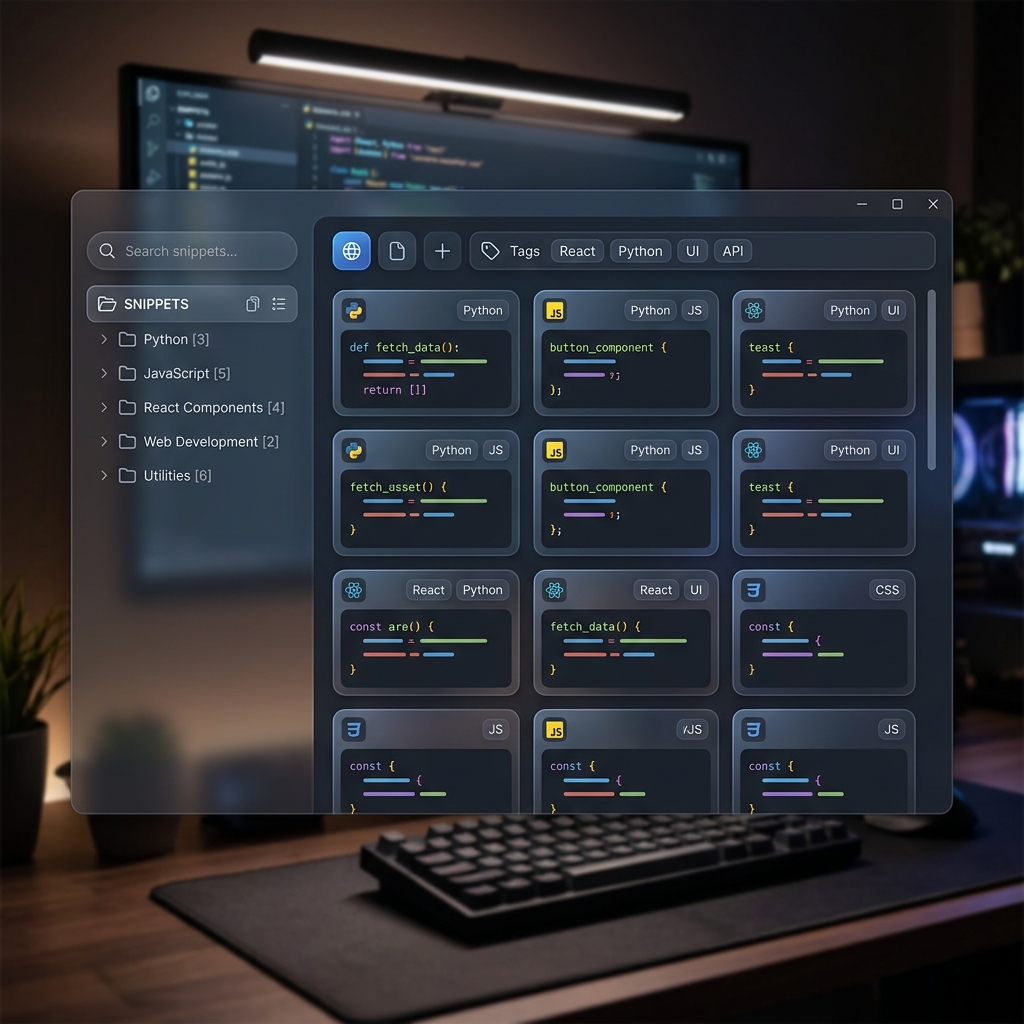
This workflow depends critically on search being fast enough to replace navigation. If you have to wait even a second for search results, you’ll start trying to remember where things are. You’ll feel pressure to organize so you can find things without searching. The organizational overhead returns.
ZetoPad is built specifically to make search fast enough to trust. The trigram index returns results in under ten milliseconds, which feels like not waiting at all. You type what you’re looking for and it’s there. This changes the psychology of organization entirely—you organize for context and completeness, not for retrieval, because retrieval is already solved.
The tool also makes saving effortless. Global hotkey, paste, title, done. No required fields, no modal dialogs, no categorization decisions. The goal is to remove every barrier between “I should save this” and the snippet being saved.
Building Your Library
Start by lowering your standards for what’s worth saving. If you’re unsure whether you’ll need something again, save it anyway. Storage is cheap, and a snippet you don’t end up using costs nothing. A snippet you need but didn’t save costs time and frustration.
Don’t try to import everything at once. If you have years of code scattered across various places, the prospect of consolidating it all can feel overwhelming. Instead, just start saving new things. When you naturally encounter old code you want to reference, save it then. Your library will build organically around the code you actually use.
Accept imperfection. Your snippet library will never be comprehensively organized. Some snippets will have poor titles. Some will be duplicates you haven’t noticed. Some will become outdated. This is fine. A messy library that you actually use beats a pristine library that exists only in theory.
Get Started
The best time to start building a snippet library was years ago. The second-best time is now. Pick a tool that makes saving effortless and searching instant, and just start. Don’t read three more articles about organization strategies. Don’t spend an afternoon setting up the perfect folder hierarchy. Just save the next useful piece of code you write, give it a title, and move on.
ZetoPad offers a fourteen-day free trial with no account required. Download it, save a few snippets, search for them, and see if the experience matches how you actually want to work.