Find Code Snippets Fast: Why Search Speed Matters
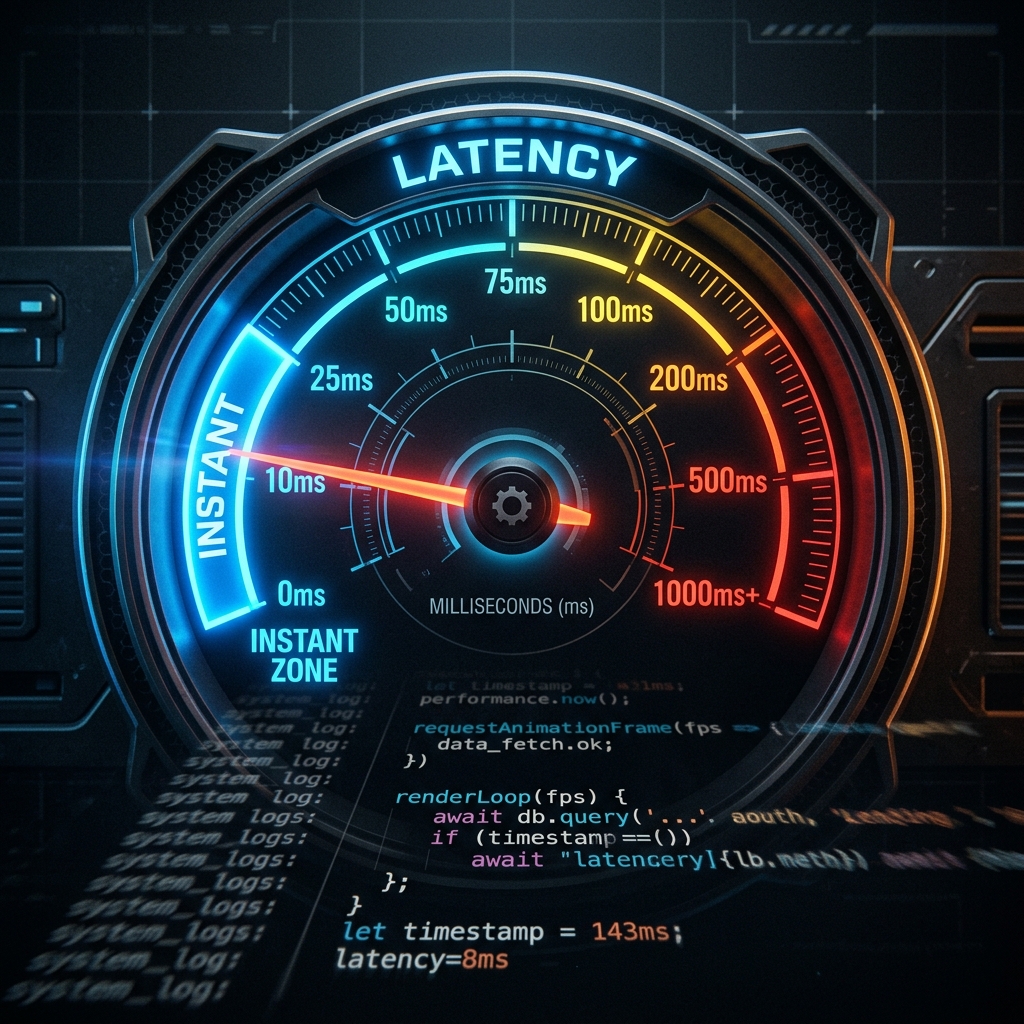
There’s a threshold in search latency that changes behavior. Below it, you search freely, confident that looking something up is essentially instant. Above it, you start making calculations: is it faster to search, or just figure it out again from scratch?
Most developers have never experienced snippet search below that threshold. The tools they use have latency in the hundreds of milliseconds, sometimes stretching into seconds. This feels “fast enough” because it’s all they’ve known. But that latency shapes their behavior in ways they don’t consciously notice—and those behavior changes cost far more time than the latency itself.
The Psychology of Slow Search
When search has perceptible latency, developers unconsciously develop coping mechanisms. They try to remember where things are instead of searching. They organize carefully because navigation feels faster than querying. They hesitate before searching, doing a quick mental check of whether they “really” need to look something up or can probably reconstruct it from memory.
Each of these behaviors seems reasonable in isolation. Collectively, they represent a significant productivity tax. The developer who tries to remember instead of searching sometimes succeeds, but often spends more time struggling with memory than a search would have taken. The developer who organizes extensively spends time on organization that could be spent on actual work. The developer who hesitates before searching often ends up rewriting code that already exists in their library.
More subtly, slow search discourages building a library at all. If finding snippets is a chore, saving them feels pointless. Why accumulate code you’ll struggle to retrieve? This creates a downward spiral where the library stays small, which means less reason to use it, which means it stays small.
What “Fast” Actually Means
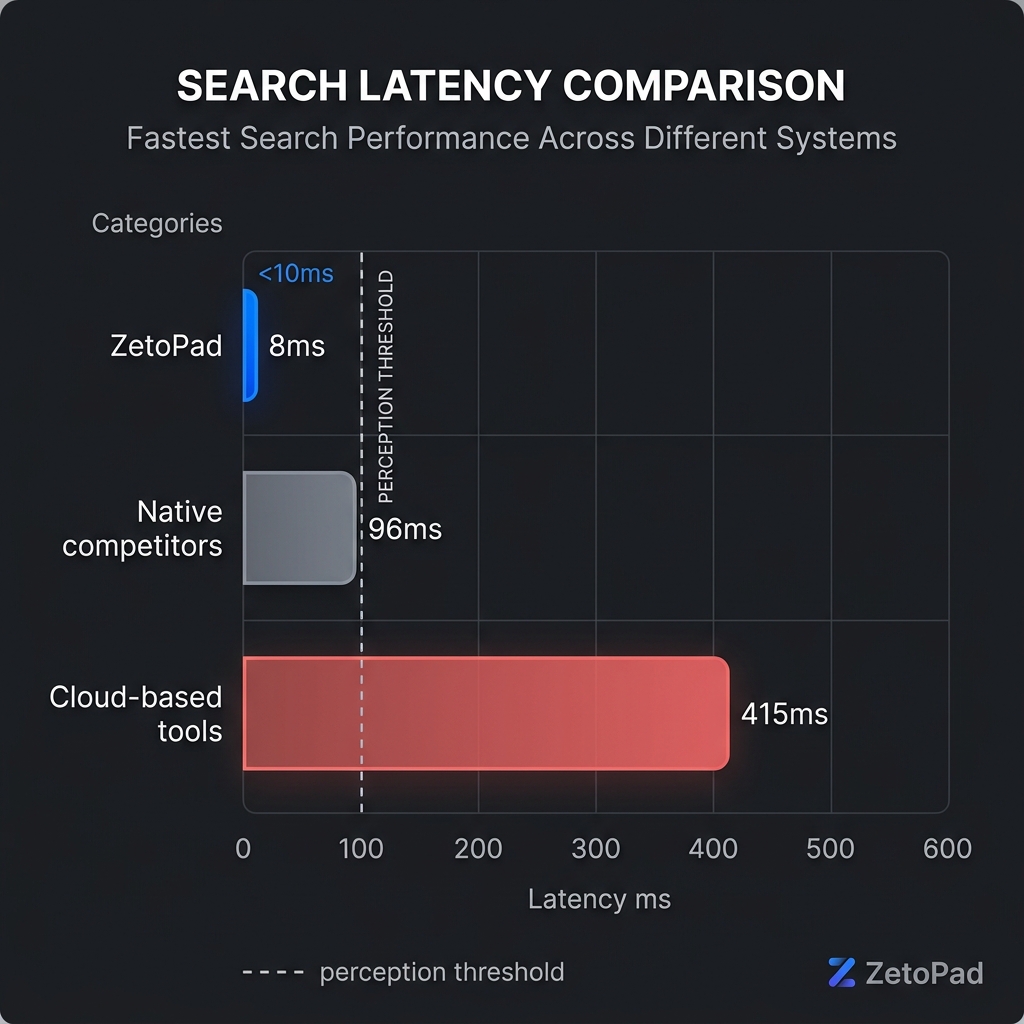
Human perception of delay follows a logarithmic scale. The difference between 10 milliseconds and 100 milliseconds is much more noticeable than the difference between 1 second and 1.1 seconds. Research on user interface responsiveness has identified key thresholds:
Under about 100 milliseconds, responses feel instant. The user doesn’t perceive any delay. Actions feel directly connected to their inputs. This is the target for any interaction that should feel immediate.
Between 100 milliseconds and 1 second, users notice the delay but maintain their train of thought. The connection between action and response still feels direct, just slower. This is acceptable for operations understood to take time.
Above 1 second, users need feedback that something is happening. Without a progress indicator, they wonder if their input was received. Their attention starts to wander. The connection between action and response becomes indirect.
For snippet search, only the first threshold matters. Searching for code should feel like remembering code—instant and effortless. Anything perceivable as delay creates friction that accumulates across thousands of searches.
Most snippet managers fall into the second category: noticeable but tolerable. Users adapt to this speed and consider it acceptable because they’ve never experienced better. But “tolerable” is not the same as “good.”
Why Most Snippet Managers Are Slow
Understanding why search is slow in most tools helps explain why better is possible.
Cloud-based tools like Pieces and Cacher have an unavoidable latency floor: network round-trip time. Your query has to travel to their servers, get processed, and return with results. Even with perfect servers and good internet, this adds 50–200 milliseconds. With imperfect conditions, it can be much worse. There’s no algorithmic improvement that can remove physics.
Electron-based tools like massCode have a different problem: JavaScript’s performance ceiling. JavaScript is a remarkably capable language, but interpreting code at runtime cannot match compiled native code for CPU-intensive operations. Text search is exactly such an operation. As snippet collections grow, the performance gap between JavaScript and native code becomes increasingly apparent.
Database design also matters. Many snippet managers use simple text search—essentially scanning every snippet for matches. This works fine for small collections but becomes progressively slower as libraries grow. A developer with 10,000 snippets saved over five years experiences dramatically worse performance than one with 100 snippets, even if they’re using the same tool.
How ZetoPad Achieves Sub-10ms Search
ZetoPad takes a fundamentally different approach. Rather than accepting inherent limitations of cloud latency or JavaScript performance, it’s built from the ground up for speed.
The codebase is native Rust, compiled directly to machine code. There’s no interpreter, no virtual machine, no garbage collector pauses. The code runs as fast as the hardware allows.
The search engine uses trigram indexing, the same technique used by large-scale code search engines. When you add a snippet, ZetoPad breaks the content into overlapping three-character sequences and builds an inverted index mapping those sequences to snippets. When you search, instead of scanning every snippet, it looks up which snippets contain the trigrams in your query and intersects those results. This takes constant time regardless of collection size—10,000 snippets search as fast as 100.
BM25 scoring ranks results by relevance, considering term frequency and document length. This means the most relevant snippets appear first, not just any snippet containing your terms.
The result: search completes in under 10 milliseconds consistently. Not as a benchmark that appears in ideal conditions, but as the everyday experience with real libraries containing tens of thousands of snippets.
The Compounding Benefits
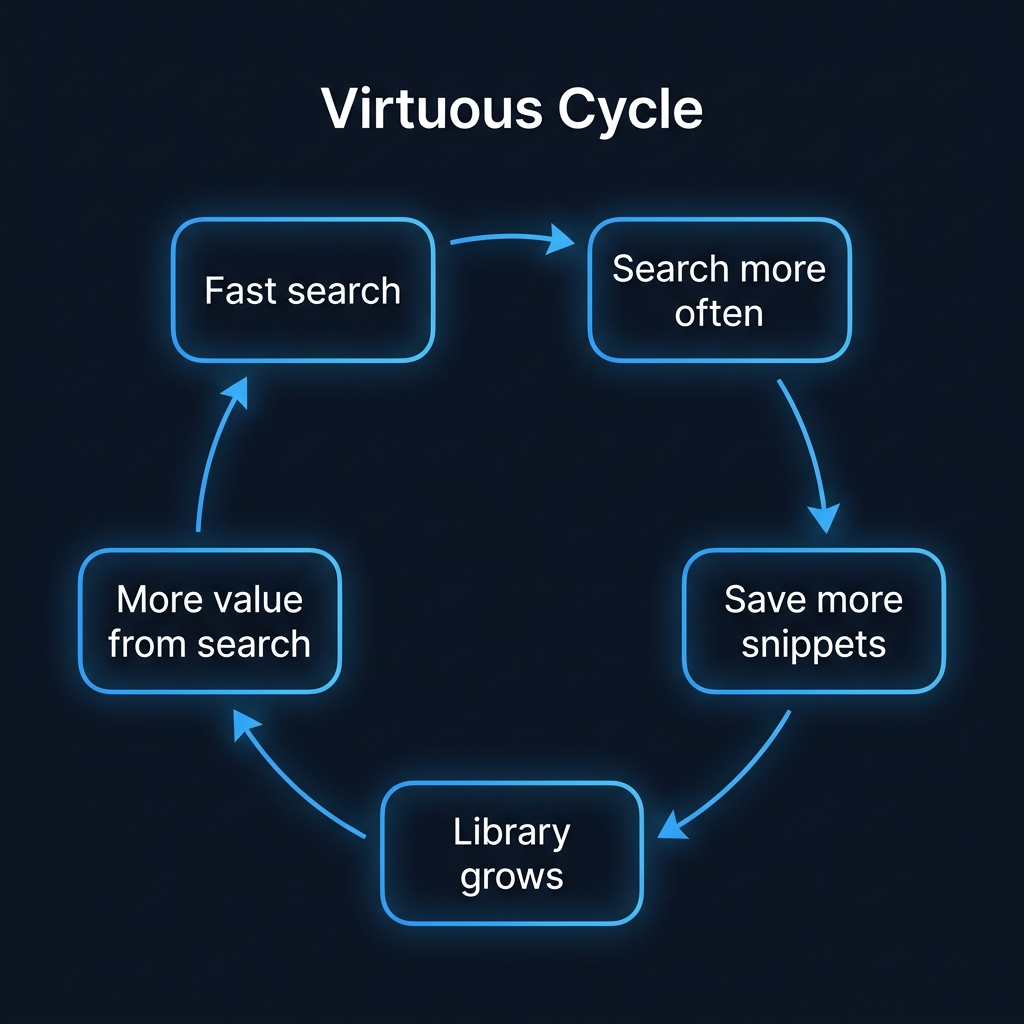
Fast search changes behavior in ways that compound over time. When searching is instant, you search more. You stop trying to remember where things are. You stop hesitating about whether to look something up. The mental overhead of finding code drops to essentially zero.
Because finding is effortless, saving becomes worthwhile. You build a larger library because you trust retrieval. The larger library makes search more valuable. A virtuous cycle replaces the vicious one.
The psychological shift is subtle but significant. Your snippet library stops being a reference archive you occasionally consult and becomes an extension of your working memory. Code you wrote last year is as accessible as code you wrote yesterday. The accumulated value of years of problem-solving becomes actually available, not just theoretically saved.
Developers who experience this describe it as one of those changes that seems small but turns out to be fundamental. Once you’ve had instant snippet search, going back to slower tools feels like working with a handicap.
Experience the Difference
Words can’t fully convey what instant search feels like. The difference between reading about sub-10ms latency and experiencing it is substantial. That’s why ZetoPad offers a fourteen-day free trial with no limitations or account required.
Download it, add some snippets, search for them. Feel the difference between “fast enough” and “instant.” Most developers who try it find the experience clarifying—either it doesn’t matter to them (in which case, no harm done), or it matters enough that they wonder how they worked without it.