Best Code Snippet Manager in 2026: Why ZetoPad Leads the Pack

There’s a moment every developer knows too well. You’re deep in a coding session, and you need that perfect regex you wrote three months ago. You know it exists somewhere—maybe in a Slack message, perhaps in a GitHub Gist, or possibly in that random utils.js file you never committed. Twenty minutes later, you’ve given up and rewritten it from scratch, silently frustrated at the time you just wasted.
If this sounds familiar, you’re not alone. In 2026, despite all our advances in developer tooling, most of us still struggle with a surprisingly basic problem: keeping track of the code we’ve already written.
The Snippet Manager Landscape Has Changed
A few years ago, the snippet manager market was dominated by cloud-first solutions. Pieces, Cacher, and various GitHub Gist wrappers promised to sync your code everywhere and use AI to organize it automatically. The pitch was compelling: save your code to the cloud, access it from anywhere, let machine learning handle the organization.
But developers started noticing problems. Search was slow because every query had to travel to a remote server and back. Privacy became a concern as AI companies started training models on user data. And when the internet went down—whether on a plane, in a coffee shop with spotty WiFi, or during the inevitable AWS outage—these tools became useless precisely when you needed them most.
The pendulum has swung back toward local-first tools, and for good reason.
What Actually Matters in a Snippet Manager
After talking to hundreds of developers about their snippet workflows, a clear pattern emerges. The features that matter most aren’t the flashy AI integrations or the beautiful sharing pages. They’re the fundamentals: speed, reliability, and privacy.
Speed means your snippets appear as you type, not after a loading spinner. When search takes more than a second, developers start avoiding the tool entirely—it becomes faster to just rewrite the code. The best snippet managers deliver results in milliseconds, making the tool feel like an extension of your memory rather than an obstacle.
Reliability means your snippets work when you need them, regardless of your internet connection. It means the tool doesn’t slow down as your library grows. It means you can trust that your code will still be accessible in five years, not locked in a database belonging to a startup that might not exist anymore.
Privacy means your proprietary code—your API keys, your clever algorithms, your company’s intellectual property—stays on your machine. It means no one is training AI models on your work without consent. It means you control your data completely.
Why ZetoPad Stands Out
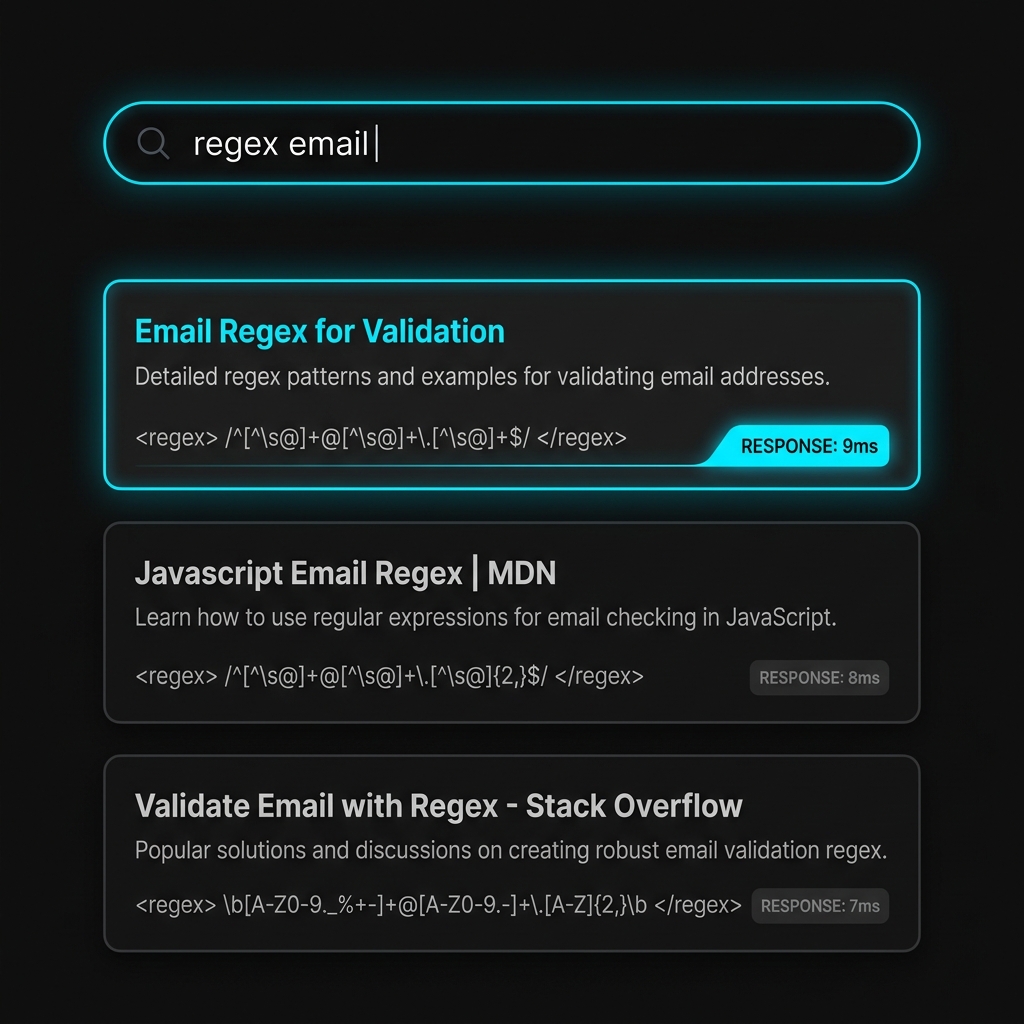
ZetoPad was built from the ground up with these principles in mind. While other tools bolted on offline modes as an afterthought or added encryption as a premium feature, ZetoPad started with a different question: what would a snippet manager look like if we optimized for the things developers actually care about?
The answer is a tool that feels almost impossibly fast. ZetoPad uses a custom trigram index with BM25 scoring—the same techniques that power professional search engines—to deliver results in under ten milliseconds, even with tens of thousands of snippets. This isn’t a marketing number; it’s a consistent experience that makes searching for code feel instant.
Everything runs locally. ZetoPad makes zero outbound network connections. There’s no account to create, no cloud to sync to, no telemetry being sent anywhere. When you save a snippet, it goes into an encrypted SQLite database on your machine, and that’s where it stays. If you want to back it up, you copy a file. If you want to move it to another machine, you copy a file. The simplicity is intentional.
The encryption isn’t an afterthought either. ZetoPad uses SQLCipher with AES-256 encryption—the same technology trusted by Signal and other security-focused applications. When you enable encryption, your snippets become unreadable without your password. Not “encrypted on our servers where we hold the key” unreadable, but genuinely, mathematically impossible to read without the password.
The Technical Foundation
Under the hood, ZetoPad is built with Rust and GPUI, the same framework that powers the Zed editor. This isn’t Electron wrapped around a web page—it’s a genuinely native application that starts in under a second and uses a fraction of the memory that Electron-based alternatives consume.
The editor supports over 600 programming languages with proper syntax highlighting through Tree-sitter, the same parsing technology used by modern code editors. Code folding, bracket matching, multiple cursors, and Vim keybindings are all built in. You can even execute code directly within ZetoPad for languages like Python, JavaScript, and Ruby.
But the real magic is in the search. Traditional text search scans through every document looking for matches—fine for a few hundred snippets, but painfully slow as your library grows. ZetoPad’s trigram index breaks every snippet into overlapping three-character sequences and builds an inverted index mapping those sequences back to documents. When you search, instead of scanning everything, it looks up which documents contain the trigrams in your query and intersects those sets. The result is O(1) lookup time instead of O(n) scanning, which is why search stays fast regardless of how many snippets you have.
Who Should Consider ZetoPad
ZetoPad isn’t for everyone. If you need real-time collaboration with a team, you’ll want something with cloud sync. If you’re deeply invested in AI-powered organization, tools like Pieces offer more in that department.
But if you’re a developer who values speed above all else, who wants their code to stay private, who works in environments where cloud tools aren’t an option, or who simply doesn’t want to depend on someone else’s servers to access their own code—ZetoPad is worth a serious look.
Security-conscious developers, enterprise teams with compliance requirements, privacy advocates, and anyone who’s ever been frustrated by a slow or unreliable snippet manager will find a lot to like here.
Getting Started
ZetoPad offers a fourteen-day free trial with no account required. Download it, start saving snippets, and experience what sub-ten-millisecond search feels like. If it changes how you work—and for many developers, it does—you can purchase a license. It’s a one-time purchase, not a subscription, so you’re not locked into ongoing payments.
Your code is valuable. The time you spend searching for it is time you’re not spending building things. Maybe it’s time to invest in a tool that respects both.